
PingID
Need the PingID mobile app? Download it here, visit our mobile app help center, or contact your IT team for assistance.
Tour the Product
Meet PingID
PingID is a multi-factor authentication (MFA) solution for your workforce and partners that drastically improves your security posture in minutes. PingID protects applications accessed via single sign-on (SSO) and it integrates seamlessly with Microsoft Azure AD, Active Directory Federation Services (AD FS) and Windows login, Mac login, and SSH applications.
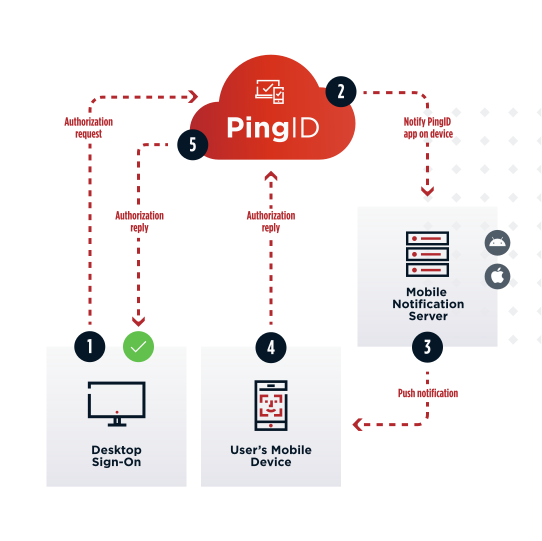
Supported authentication methods include mobile push, email OTP, SMS OTP, TOTP authenticator apps, QR codes, magic links, FIDO2-bound biometrics, and security keys.
How it Works
PingID is a SaaS service and mobile app for Apple iOS or Google Android devices. These components work together to provide a secure means of authentication for employees and partners. For organizations looking for a complete workforce authentication authority solution, PingID is fully included in PingOne for Workforce Plus and Premium. A simple registration process allows you to use PingID solely for PingFederate federated SSO, SSO through your VPN, or custom client integrations. As the administrator, you configure the authentication method(s) for your users. For example, the employee starts their journey with a lenient method (such as SMS) and is prompted for a stricter method (such as biometrics) only when they need to access high-risk assets.
Employees and partners can download and install PingID from all major app stores or via Ping’s website.
With PingID you can:
Authenticate identity without introducing friction
Ensure the security of your end users and assets
Easily manage and optimize authentication flows
User Journey Alignment
PingID is integral to the “Authenticated” stage of the user journey.
Broad Enterprise Use Cases
PingID makes MFA easy while supporting all of your enterprise use cases, apps, and APIs. It’s simple to deploy for common initiatives like zero trust, passwordless, MFA for Office 365, and migrating to the cloud. It’s also easy to integrate with on-premises or cloud-hosted web apps through SSO and web access management systems via the PingID authentication API or authentication and authorization policies. Plus, an offline MFA mode allows users to authenticate locally without an internet connection.
Use Data to Step Up Security
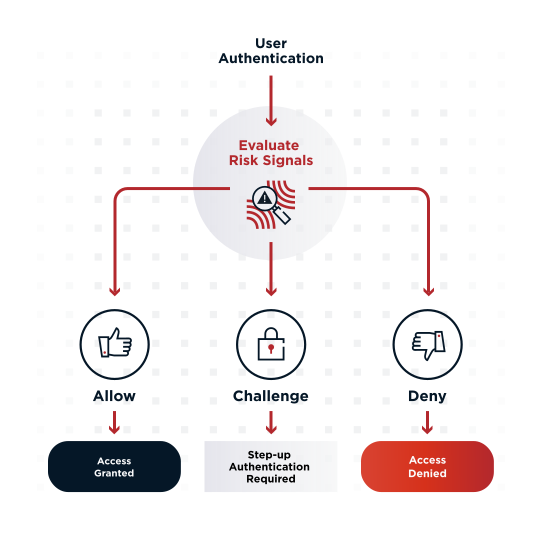
Adaptive authentication uses risk and contextual factors to keep users productive and data secure. With PingID, you can apply MFA to specific applications or apply it based on the group membership while maintaining stringent security policies. Allow users to conduct low-value transactions without interruption by leveraging contextual data such as device posture, device management, geolocation, IP address, and time since the last authentication—all while automatically prompting for MFA in high-risk scenarios. You can also use PingOne Protect alongside PingID to leverage machine learning for a better understanding of user behavior and detecting threats.
User Self-Service
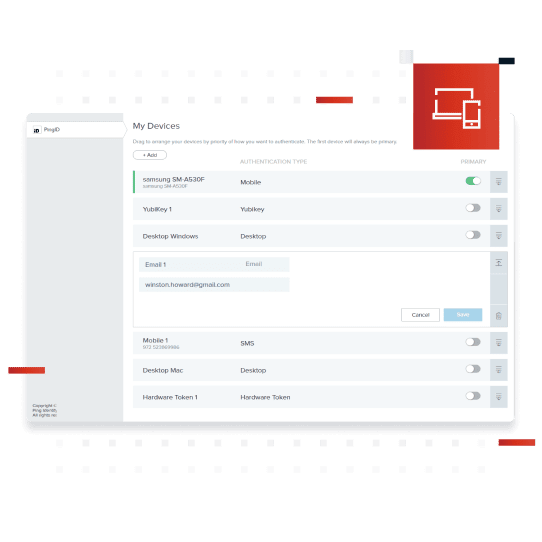
Improve productivity and lower helpdesk costs with a comprehensive set of user self-service capabilities. With out-of-the-box web and mobile registration and device management flows, ready-to-deploy customized registration flows, and APIs for streamlined connectivity to the enterprise’s employee portal, your users will be able to manage their PingID devices and experience all according to company policies.
No Hardware. Faster Deployments.
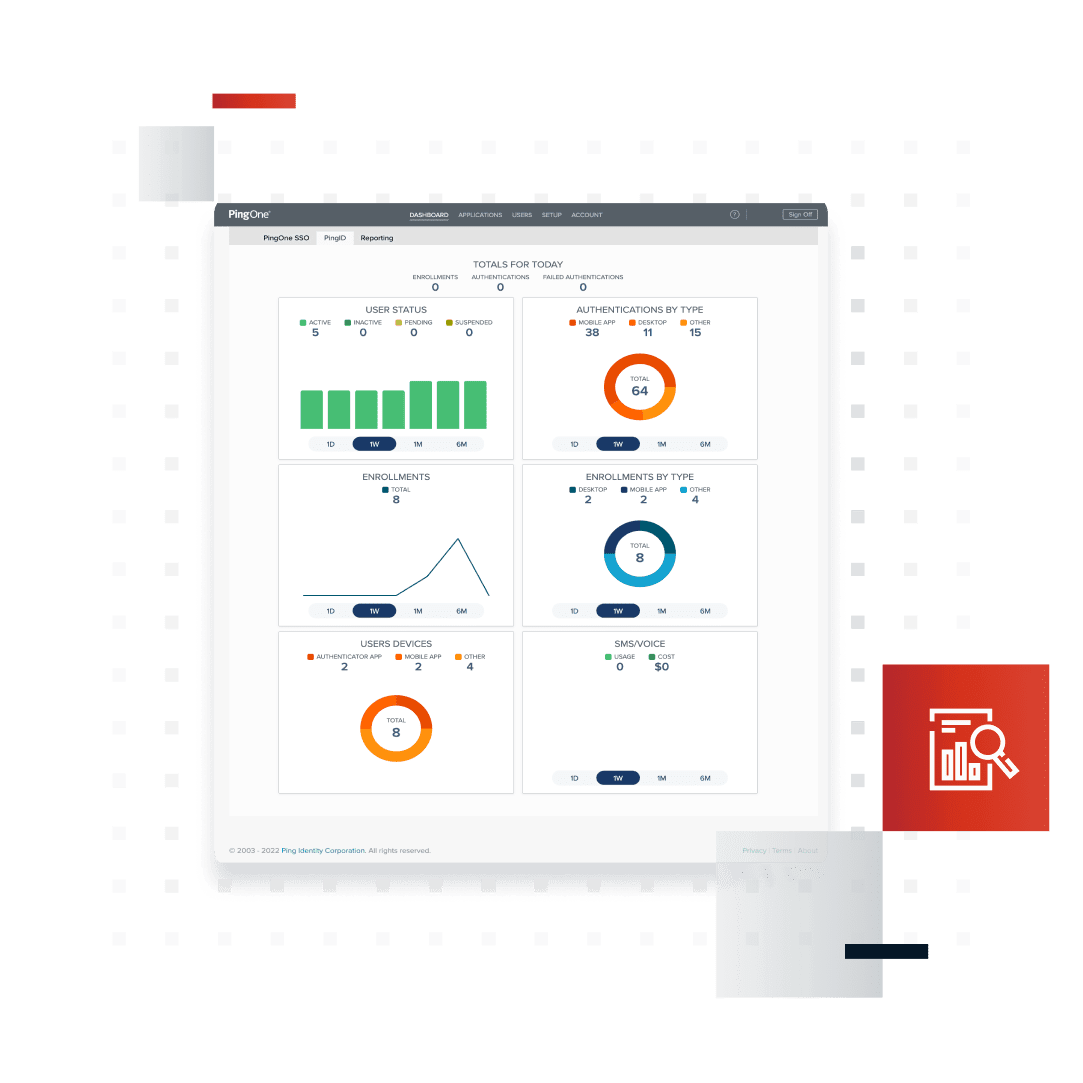
As a cloud service, PingID is easy to install and set up without the burden of on-premise infrastructure. Admins see the progress of the MFA rollout with dashboards that provide real-time data on enrollment, user status, and authentication types. Common administrative tasks like user lifecycle management and event reporting can be fully automated to ease the support burden.
Enterprise Branding
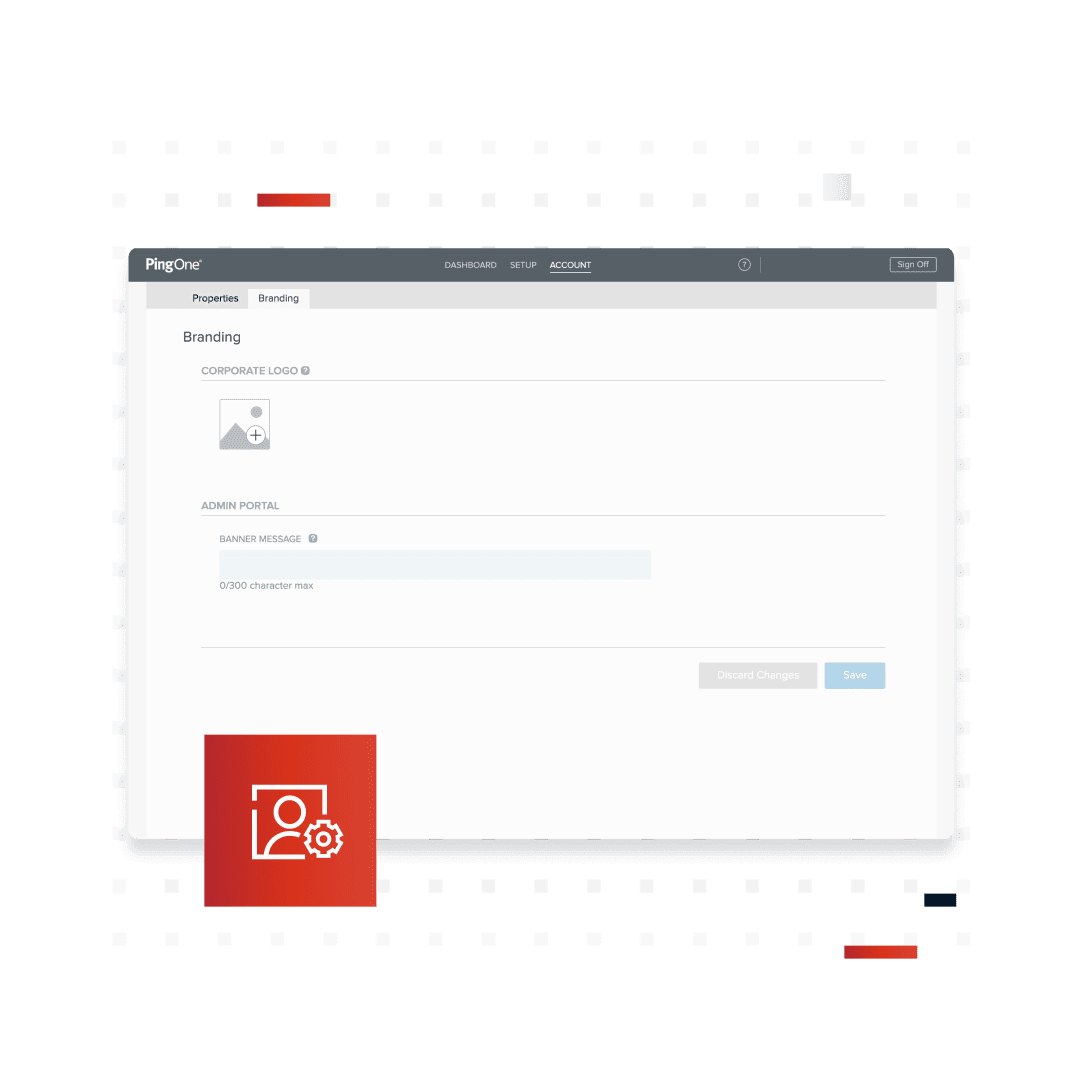
PingID offers opportunities to brand and customize the employee and partner experience. The native mobile application, desktop application, user notifications and registration, and enrollment screens are all customizable to your organization's brand and can be localized to your geographic footprint.
Benefits & Features
User-friendly, frictionless authentication method
Self-service portal for employees to add and remove devices
Leverage risk signals for adaptive authentication
Customized branding for consistency and uniformity
Integrate with existing and future MFA tools to establish consistent and secure policies for every digital resource
Implement additional authentication for high-risk actions
Dashboard for MFA usage and SMS costs
Integrates seamlessly with PingOne for Workforce and PingFederate SSO and authentication
Enables passwordless authentication
Support multiple geographic regions across the globe, as well as offline support
Business Value
Increase
security
Minimize friction
in the user
experience
Increase
productivity
Flexible Deployment Options
PingID can be deployed as:
PingOne Services - Multi-tenant SaaS
PingOne Cloud Software - Deploy anywhere cloud containers (with PingFederate)
Platform Alignment
PingID is an integral part of the PingOne Cloud Platform and is essential to the “Authenticate” phase of the identity and access management user journey.
Platform Alignment
PingID is an integral part of the PingOne Cloud Platform and is essential to the “Authenticate” phase of the identity and access management user journey.
Start Today
Contact Sales
See how Ping can help you deliver secure employee, partner, and customer experiences in a rapidly evolving digital world.