With a rising risk of cybersecurity attacks and data breaches in the corporate world, it's important for companies to incorporate a device trust process to keep networks and customers' personal identifiable information (PII) safe. Implementing industry best practices for device verification is key for online protection. Understand how device trust works, what challenges to consider, and how to incorporate the best software to maximize security.

What Device Trust Means in 2024
Jan 26, 2024
-minute read

Understanding Device Trust
What is device trust? It's a set of automated processes used to keep an organization safe and ensure that only authorized users are accessing networks, data, and PII.
The Anatomy of Trustworthy Devices
There are a couple of characteristics that make a device trustworthy. First, it needs to be identifiable using device fingerprinting strategies. This allows your company to recognize and block access from black-listed or malicious devices. Known devices may be managed devices provided by the company or they may be personal devices used by employees, contractors, or other third parties. Bring-your-own-device (BYOD) is becoming more popular to assist with flexible work arrangements, but does require extra security measures.
In order to be trustworthy, a device also needs to meet the latest security requirements. This includes things like an updated operating system, proper security configuration, and no evidence of malicious software.
Device Verification Process
With the features of a trustworthy device in mind, now you can dive into how companies can actually verify devices from the point of initial connection to the establishment of trust.
1. Initial Device Connections
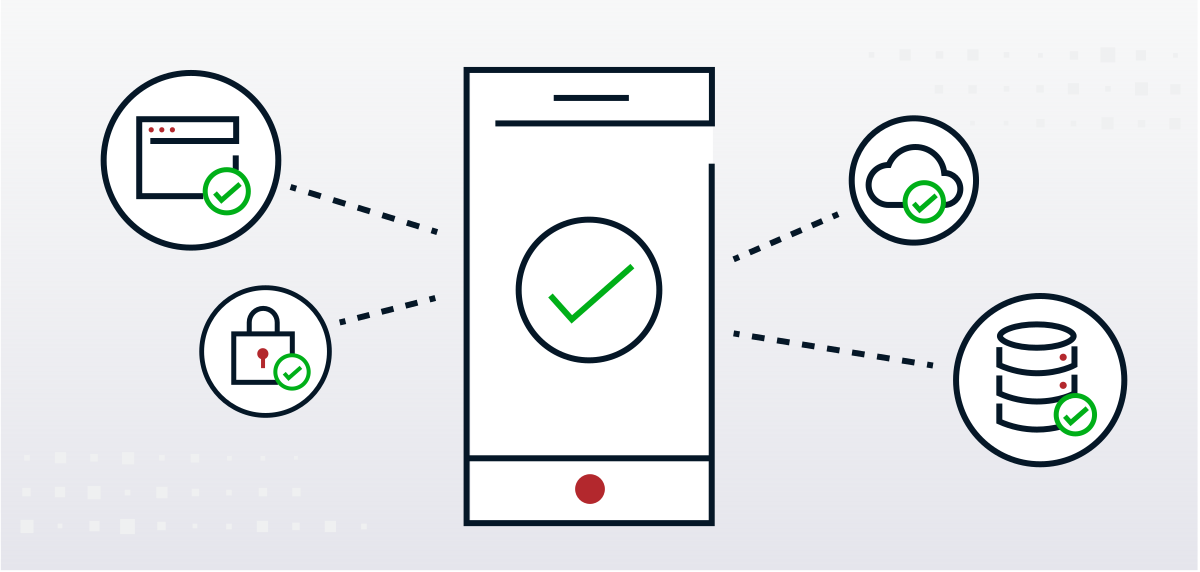
The verification process begins when a device connects to the network or the service. This connection is often the first interaction between the device and the authentication system. You can protect apps by only allowing logins from trusted devices.
During the connection process, the access management engine checks the device for red flags, such as outdated software. You can also create different verification rules for company-managed devices versus non-managed devices. For BYOD, a more stringent set of security policies can be applied.
2. Device Identification
The next step is to assign a specific identity to the device in order to properly verify it in the future. Devices are uniquely identified through various attributes, such as:
- Device name: Users can create a unique device name within their system settings to help the verification process.
- Digital certificate: Your company can issue an internal device certificate in order to verify it in the future.
3. Identity Authentication
- Digital certificates
- Usernames and passwords
- Multi-factor-authentication
- Biometric authentication
- Token-based authentication
4. Device Profiling
Device profiling is the process of collecting information about the device, including its operating system, hardware specifications, and software versions. Profiling helps in assessing the device's characteristics to make sure it can safely access the company network or platforms.
There are several ways to profile devices, including using a built-in program, a web app, a mobile app, or a native app.
5. Compliance Verification
In this step, the device is checked for compliance with internal security policies and configurations. A set of centrally-enforced policy decisions can determine who can access what based on identity attributes, roles, and device profile. Any deviations from the defined standards may trigger additional security measures. For instance, you could enact a policy that allows SFDC access via a work-issued device but not a BYOD device.
In addition to verifying compliance during the initial login, you can also incorporate a timer to verify those standards again during a session. So if the user is logged on for an extended period of time, you can verify again even if they haven't exited or logged out. If non-compliance occurs, you can set different actions based on the issue, such as sending an alert, removing a managed app, or wiping the device.
6. Security Posture Assessment
The security posture of the device should also be assessed to ensure it adheres to current best practices. This evaluation covers factors like firewalls, disk encryption, antivirus software, public file sharing, and system updates.
Keeping each of these areas secure helps protect against data leaks, ransomware, phishing, and other vulnerabilities. It reviews the device's operating system and identifies when a breach may have occurred. Security posture assessments are especially beneficial when you have employees who work from personal devices.
7. Continuous Monitoring
Device trust is not a one-time event but an ongoing process. Continuous monitoring is essential to identify any changes in the device's status or behavior. The first check occurs during the initial login process.
After that, you can set the verification process at specific time intervals. At a minimum, check devices at least once every 24 hours. For the strictest verification process, you can increase the timing as frequently as every two hours or even every few minutes.
8. Trust Establishment
Once the device has successfully passed through all the previous steps and met the defined criteria, trust is established. That means the device is known to the organization and hasn't been compromised with any malicious software. Additionally, the user is identified as an authorized individual based on customized policies.
Once all of these conditions are met (along with any others set by the company), the device is considered trustworthy and is granted access to the network or service.
9. Access Control
With trust established, the device can now access the resources and data it was intended for. The company can set allowed and blocked areas for specific sets of individuals using access control mechanisms to ensure that the device only reaches authorized areas. This feature can be utilized with Ping Identity's adaptive access control, part of our authorization offering.
Challenges in Device Trust
Device trust adds an important layer of security to companies managing large teams or a transient workforce, including contractors and third party partners, with multiple login options. But there are some common challenges and obstacles to account for when implementing and managing device trust, including how to keep company information and PII confidential.
Diverse Device Ecosystem
The proliferation of various device types, operating systems, and platforms can make it challenging to create a standardized device trust framework that accommodates all. In addition to company-owned managed devices, many employees also want to access their work platforms from personal devices.
Independent contractors or third party vendors may also need network access from time to time, but they won't be performing work on a managed device. This makes it difficult to create policies that allow tailored access while still protecting company data. As such, the ever growing diversity of device ecosystems has led to the rise of zero trust environments and appropriate policy-based access controls in place.
Security Threats
Devices are subject to evolving security threats for end users. Maintaining a current understanding of these threats and adapting trust measures accordingly is an ongoing challenge. Data breaches are more common than ever, as are ransomware attacks that block access to a company's core operations until a ransom is paid.
Partnering with security solutions that are constantly monitoring the threat vectors and upgrading best practices is incredibly important when it comes to maintaining device compliance.
User Privacy Concerns
With increasing device use and remote work policies, some users (whether employees or customers) may be concerned about what data the company is collecting from their device. Striking a balance between enhancing security through device trust and respecting user privacy is a continual challenge.
Mitigate this challenge by being transparent about what data is collected and when. Provide updates when policies change in order to maintain user trust while still addressing cybersecurity concerns.
Interoperability Issues
Ensuring that trust measures work seamlessly across different systems, applications, and devices can be complex. This interoperability is vital for a robust device trust system. The solution typically entails using cloud-based verification methods rather than installed software. That allows companies to establish trust across devices instead of having to limit users to only accessing networks through their managed devices.
Scalability
As organizations grow, managing device trust at scale can become challenging. Ensuring all devices meet trust standards without causing delays or disruptions is a significant obstacle, especially when moving to centralized/policy-driven access control. As your company creates a verification framework, plan to roll out implementation in manageable stages. Start with apps that have the largest access before moving onto other programs. Also avoid incorporating hardwired policy rules into your business applications, which cannot be easily monitored, updated, and reconfigured as the threat landscape evolves.
Legacy Systems
Integrating modern device trust solutions with legacy systems can be challenging. Older systems may lack the capabilities to support advanced trust protocols. While device trust verification processes tend to be dynamic, legacy systems don't have the flexibility to adapt to ever-changing security practices. Additionally, modern verification systems are more nuanced, allowing access under certain sets of conditions. Many older systems, however, don't allow for this type of complexity.
Regulatory Compliance
Adhering to regulatory requirements regarding device trust adds complexity. Different industries have different requirements to follow. Financial institutions, for instance, must have a customer due diligence process that includes both Bracket KYB and KYC components to verify identities. Connected medical devices also have requirements for trust verification.
Failing to comply with these requirements can result in legal and financial consequences, in addition to reputational risk.
Role of IAM Solutions in Device Trust
Identity Access Management (IAM) systems are an integral part of establishing and enforcing a zero trust posture as the security perimeter grows beyond the traditional corporate network. They manage user identities, roles, and access permissions within an organization no matter where employees or other users are located.
There are four primary processes used within IAM solutions to identify and maintain trusted devices, many of which address the threats and challenges facing companies today.
Device Authentication and Access Control
An IAM system provides both user authentication and access controls. It can conduct device health checks to ensure device security meets predefined standards and policies before authorizing access.
IAM solutions can control which resources or data a device can access based on its trustworthiness. It can also require additional security layers depending on whether a user is signing on from their usual device or an unknown device further improving access policies.
Single Sign-On (SSO) and Multi-Factor Authentication (MFA)
IAM solutions also enhance device trust through services like Single Sign-On (SSO) and Multi-factor Authentication (MFA). Here's how each one works:
- Single Sign-on (SSO): One set of login credentials allows access to multiple apps or programs.
- Multi-factor Authentication (MFA): Requires at least two authentication factors, such as a code sent to the user's phone and biometric scans.
Monitoring and Behavioral Analytics
IAM systems monitor device and user behavior to detect anomalies or suspicious activities. Behavioral patterns are monitored to identify changes that could indicate a compromised device.
In addition to initial verification, an IAM system also continually verifies devices to provide ongoing security throughout an access session. You can customize your preferred verification interval from hours to minutes. If something changes and the device is no longer compliant, the IAM system can cut off access and quarantine the device to prevent any potential further damage.
How Ping Identity Manages Device Trust
Ping Identity is a leading solutions provider to manage device trust, from verifying users and devices to providing mitigation tools if a breach does occur. The device verification and monitoring process through Ping Identity includes the following steps:
- Verifies identity and devices.
- Monitors behavior to identify anomalies.
- Integrates multiple detection and mitigation services.
- Creates a better user experience for both granting access and mitigating risks.


Related Resources

Start Today
Contact Sales
See how Ping can help you deliver secure employee, partner, and customer experiences in a rapidly evolving digital world.