
PingOne MFA
Tour the Product
Pingu MFA is Ping Identity's cloud-based Multi-factor authentication service that enables your business to provide secure and Seamless experiences for your customers and users.
Let's tour the Service.
Keep your application secure.
Templates for web, native, single-page, and worker applications are available to add your applications so you can protect them with MFA.
An advanced configuration option is also available for complete flexibility.
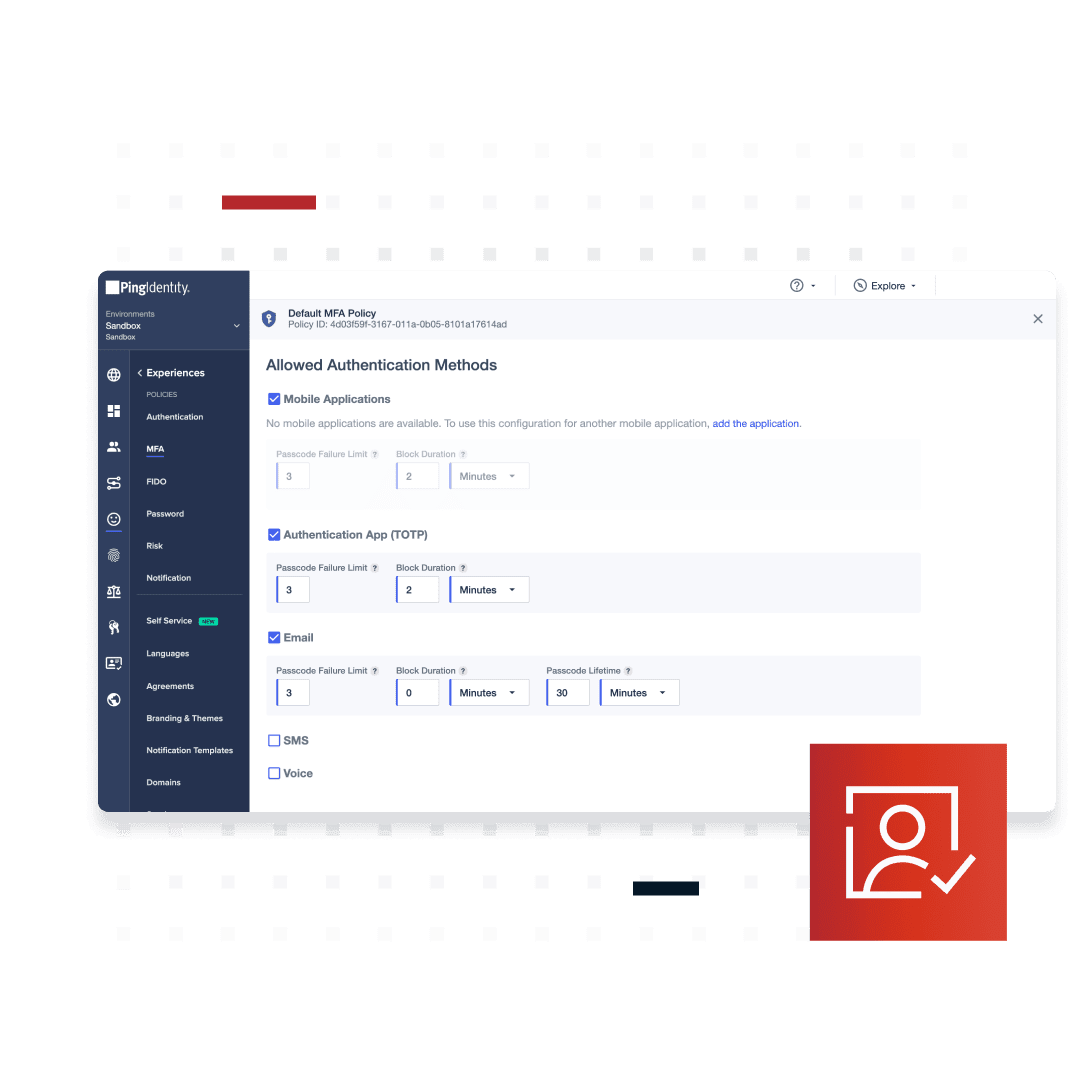
You can provide users with multiple options for MFA, including one-time passcodes sent via email.
Or SMS as well as push notifications sent to their mobile device.
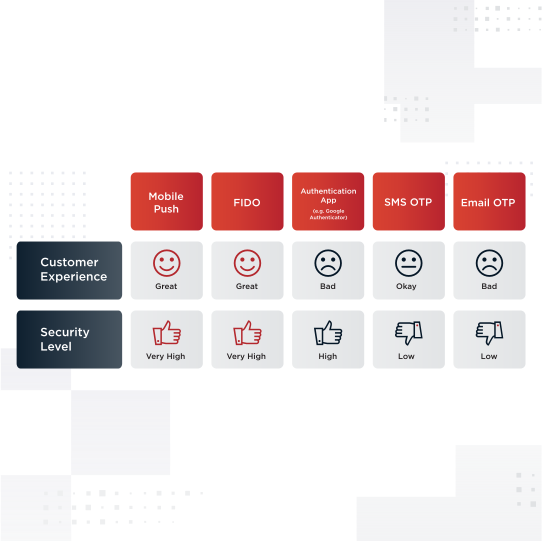
Allowing for several authentication methods can help increase the rate of MFA adoption across Your organization.
When sending one-time passcodes via email, you can configure a custom email domain name.
This allows end users to see the custom URL you have chosen.
Which creates a more recognizable and secure experience.
When sending one-time passcodes via SMS, you can use the Ping server or connect your own Twilio account.
When prompting for MFA, ensure your customers Know why email, SMS, and push notifications are customizable for device pairing, Strong authentication, as well as for approving transactions.
As an example, if you provide customers the ability to approve transactions using MFA, You can customize the message they receive as shown here.
Authentication policies are a great way to balance security and convenience.
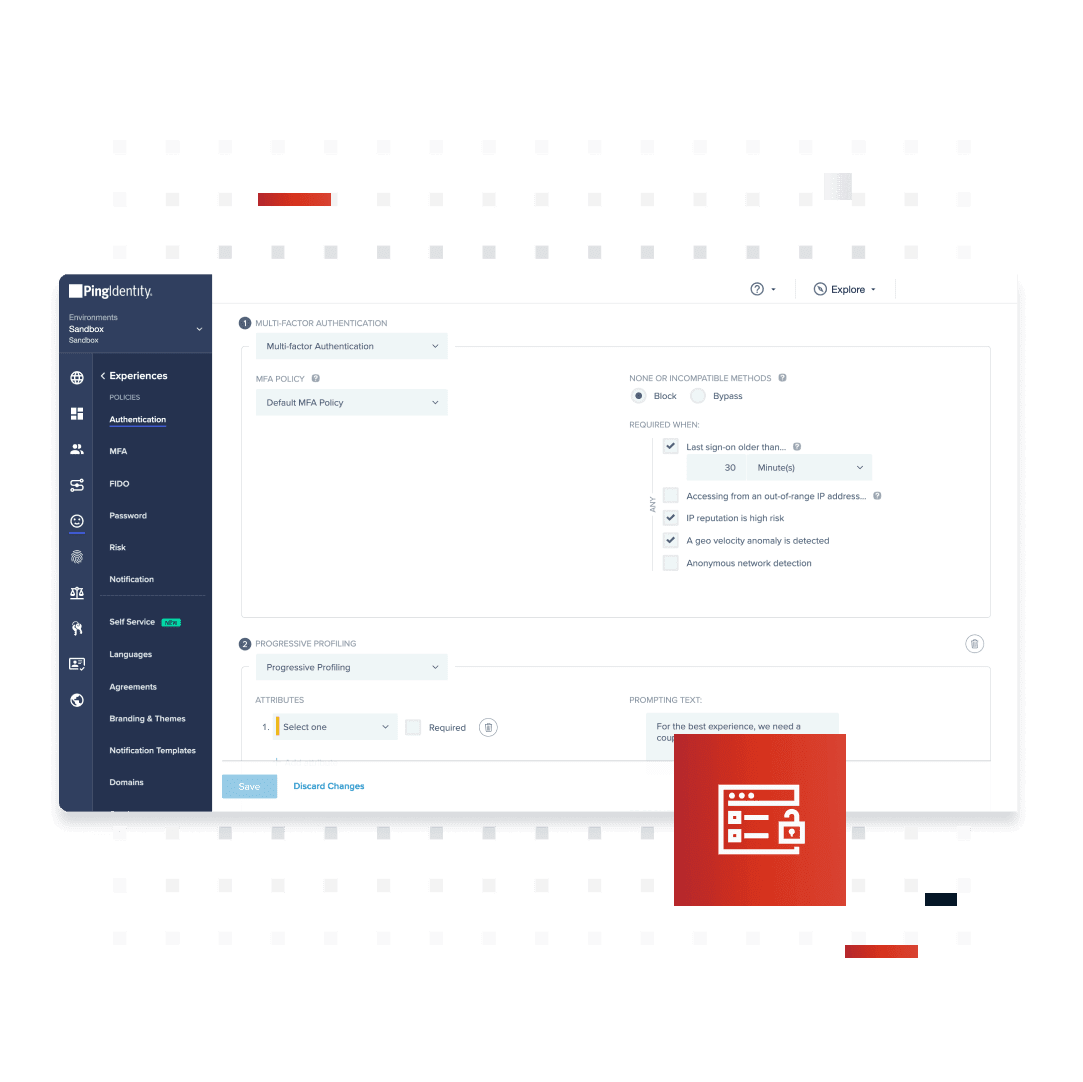
MFA can be offered as always-on or can leverage Ping Identity Risk capabilities for policies Such as time since last sign-in, IP reputation, and geo velocity anomaly detection.
For a quick overview of how customers use MFA, the PingOne MFA dashboard shows MFA users Activity details such as enrollments, Enrollments by type, and SMS usage.
This data can be filtered to a specific time range for your convenience.
Configuring PingOne MFA is easy, with knowledge, developers, and support resources all available From the main page.
For something more interactive, get a walkthrough of the PingOne MFA service at any Point.
Conveniently explore the Ping Identity platform, Select a product or service icon to review its description, to access documentation, APIs, code examples, data sheets, and videos for that product or service.
For a clear audit trail, all actions performed in the PingOne MFA Admin console are logged.
Reports provide a summary of activities based on time periods.
Event types, user populations, and Applications.
This concludes the overview from an Admin's perspective.
Now let's see the End-User experience.
Jane is a customer who likes to shop online at a fictional store called BX Retail.
Let's take a look at how BX Retail uses PingOne MFA to make Jane's experience seamless and secure.
First up, passwordless login.
Jane clicks to sign in.
Enters her username.
And signs in.
Jane continues with her ideal login experience Using Face ID while taking comfort in knowing that email and SMS one-time passcodes are Always there, just in case.
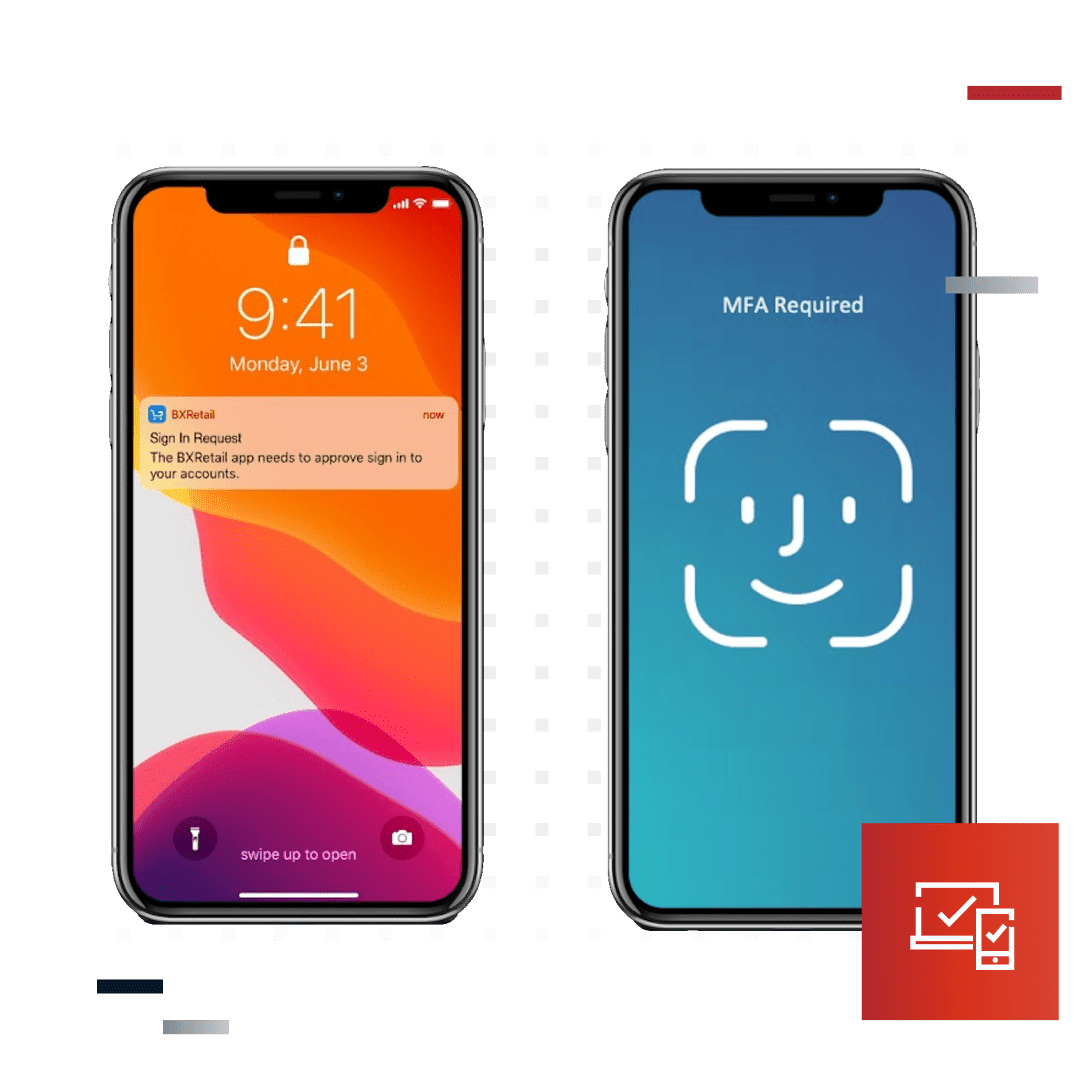
She taps the customizable push notification on her phone.
Authenticates, and she's ready to shop.
BX Retail also uses PingOne MFA to allow customers to decide what dollar amount they'd Like to approve a transaction.
Jane has set this at $1000.
Jane navigates to the BX Retail homepage and clicks to browse the electronic sale.
In the market for a television, Jane selects a 65-inch Clai television priced at $1,270.
She decides to add delivery and mounting for an additional $199 added to cart.
And checks out.
Next, she views a fully customizable push Notification where customers like Jane can preview transaction details before approving Them.
She sees the correct vendor and the correct Amount, clicks, and approves the transaction via Face ID.
The transaction has been approved and the brand new TV is on its way.
Balanced security and convenience.
PingOne MFA can help your business secure your customers without sacrificing user experience.
Contact us to learn more about PingOne MFA.
Meet PingOne MFA
With account takeover attacks, compromised credentials, and fraud on the rise, the potential for identity theft is real. Protecting customers starts with a high level of assurance in their identity when they sign on to your application or website. PingOne MFA is a cloud-based multi-factor authentication service that enables you to know that your users are who they say they are while providing frictionless experiences.
Supported authentication methods include mobile push, email OTP, SMS OTP, TOTP authenticator apps, QR codes, magic links, FIDO2-bound biometrics, and security keys.
How it Works
With PingOne MFA, you can embed MFA directly into your mobile application(s) or integrate it with your website—enabling your customers to easily and securely log in from their trusted devices. The set-up is simple and starts with configuring a sign-on policy, associating that policy with your web apps, and then customizing notifications. From there, you can configure the allowed authentication methods, adaptive authentication, and more.
With PingOne MFA you can:
Authenticate identity without introducing friction
Ensure the security of your end users and assets
Easily manage and optimize authentication experiences
User Journey Alignment
PingOne MFA is integral to the “Authenticated” stage of the user journey.
Convenient Authentication Methods
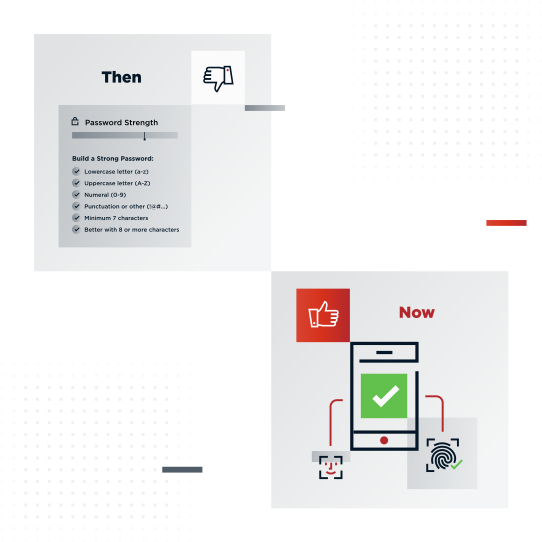
PingOne MFA provides a variety of authentication methods that protect customers and don't add unnecessary friction to their experience. Customers can choose to authenticate by swiping, tapping, or using fingerprint or facial recognition via a secure push notification from their mobile device or using FIDO2-bound biometrics on their laptop or security keys. They can alternatively use a magic link, scan a QR code, or enter a one-time passcode sent to their email or SMS to verify their identity.
Adaptive Authentication Removes Friction
When customers have friction in their user experience, they’re more likely to abandon your application or website. Removing friction means making security visible only when it’s needed, for example, customers accessing certain applications or performing high-risk, high-value transactions. PingOne MFA reduces the need for your customers to complete an MFA challenge by leveraging adaptive policies and integrating with Ping’s cloud-based risk management service to look at usage patterns, context, and behaviors so that they’re only prompted when MFA is necessary.
Passwordless (and Usernameless) Authentication
Passwordless authentication may seem like a radical concept, but it actually borrows from and builds upon the same principles as adaptive MFA. For example, you could combine username only (no password) with a lower friction method of authentication (such as a device-based biometric or a swipe) when a user is accessing non-sensitive resources in a typical manner. You may be more ready to start your journey to passwordless authentication than you realize. When paired with PingOne DaVinci, you’ll get out-of-the-box passwordless flows to get you started.
Simplify Administration
Make it easy for administrators to set up and manage authentication flows. PingOne MFA gives you the flexibility to choose between configuring policies in the administration console or using developer-friendly APIs. Either way, administrators can create separate sign-on policies per application and leverage risk management capabilities to verify customer identity via adaptive authentication. Plus, you can give developers a head start with sample code and authenticator applications to rapidly integrate MFA into the customer experience.
Embed MFA into Your Mobile App
It’s easy to embed multi-factor authentication capabilities natively into your own iOS or Android mobile application. This allows you to deliver convenient and secure MFA to your customers without requiring them to download a separate application. Device authorization behind the scenes can provide an additional layer of security without introducing friction when a user logs into your mobile application, resulting in a seamless authentication experience.
Benefits & Features
Customer-friendly authentication methods
Self-service portal for adding/removing devices and setting MFA preferences
Leverage risk signals for adaptive authentication
Customized branding for consistency and reliability
Developer-friendly APIs and SDK for embedding MFA into your apps
Implement transaction approvals for high-value or high-risk actions
Dashboard for MFA usage and SMS costs
Included as part of total authentication solution with PingOne for Customers plus and premium
Enables passwordless authentication
Business Value
Increase revenue
Minimize friction
in the user
experience
Prevent fraud
Flexible Deployment Options
PingOne MFA can be deployed as:
PingOne Services - Multi-tenant SaaS
Platform Alignment
PingOne MFA is an integral part of the PingOne Cloud Platform and is essential to the “Authenticate” phase of the identity and access management user journey.
Start Today
Contact Sales
See how Ping can help you deliver secure employee, partner, and customer experiences in a rapidly evolving digital world.